
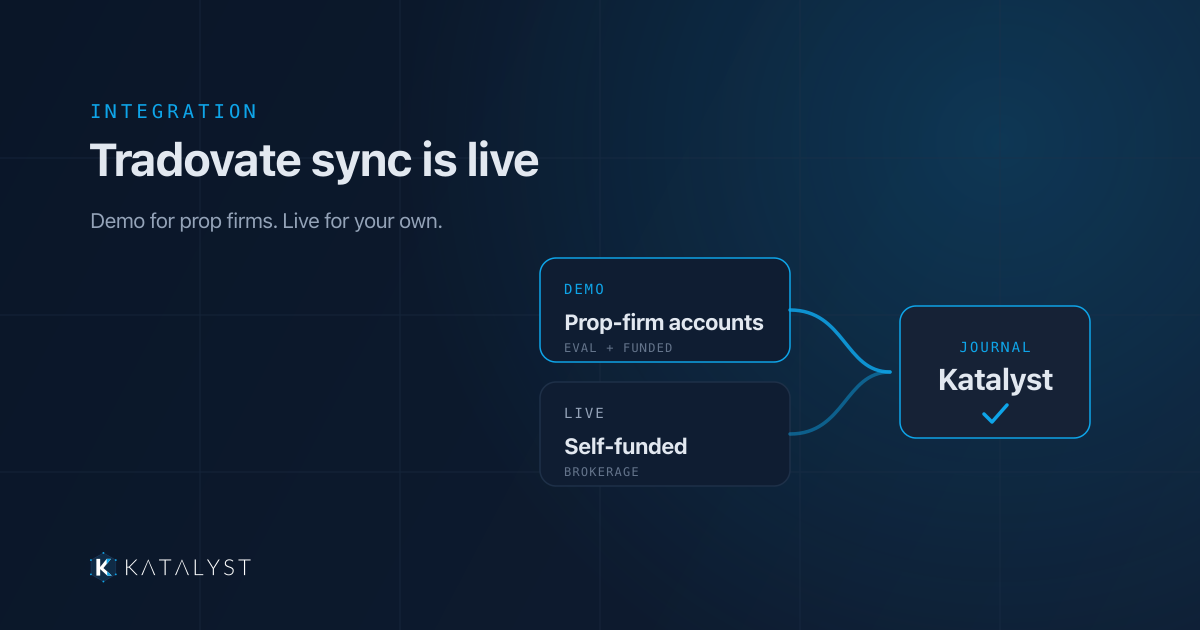
The Tradovate connection is live. If you trade futures through Tradovate — or through NinjaTrader, which runs on the same API — your fills now flow into Katalyst automatically. No CSV exports, no spreadsheet cleanup, no Sunday night data-entry session.
Connect once, approve access, and your journal keeps itself current.
Authorize once — we never see your password
The connection uses Tradovate’s OAuth sign-in. You’re redirected to Tradovate, you sign in there, and you approve access. Katalyst receives a secure, revocable token — never your credentials. Revoke it any time and the sync stops.
From there Katalyst pulls your fills with their real commissions and exchange fees, resolves each contract’s point value and tick size, matches executions into complete round-turn trades, and rolls it all into your analytics. Account balances come across too, so the equity picture matches what your broker shows.
Demo and Live — and why the choice matters
When you connect, you pick an environment. Both are fully supported, and the right one depends on whose money you’re trading:
- Live covers personal, self-funded Tradovate brokerage accounts.
- Demo covers Tradovate’s simulation stack — which is also where every prop-firm account lives.
That second point is the one worth slowing down on. Apex, TopStep, Take Profit Trader and the rest issue their accounts on Tradovate’s simulation environment — evaluation accounts and funded accounts alike. Being funded doesn’t move you to Live. So if you’re trading a prop-firm account of any kind, choose Demo.
Pick Live with a prop-firm account and the authorization succeeds, the connection looks perfectly healthy — and then lists none of the accounts you came for. Katalyst warns you about this before the choice, right in the connect dialog, because a silent, plausible failure is the worst kind.
Running both? Connect both. A self-funded Live account and a Demo connection covering your evaluations can sit side by side, each with its own schedule and its own sync history.
Built for how prop traders actually trade
Most Tradovate traders we hear from aren’t running one account. They’re running an evaluation, a funded account, and a second evaluation as a backup — each with its own drawdown floor and its own rules.
Katalyst treats every account as its own book. Per-account equity curves, per-account stats, and a combined view when you want the whole picture. That’s what makes the numbers usable: a trailing drawdown only means something against the specific account it’s attached to, and scaling across multiple accounts falls apart the moment your journal blends them together.
Automatic sync is also what keeps that data honest. When logging is manual, the trades that quietly go missing are the ugly ones — the revenge scalp, the oversized loser, the day you’d rather not revisit. Those are precisely the trades your review needs. A connection captures all of them, every session, without asking you to relive anything first.
Backfill your history, then stay in sync
You don’t start from an empty journal. Katalyst pulls your available historical Tradovate data on the first sync, so you have a real sample size to analyze on day one instead of waiting a month to accumulate one.
After that, scheduled syncing keeps it warm — set a daily sync after the close and the trades are already waiting when you sit down to review. Tradovate’s sessions are short-lived by design, so Katalyst renews yours in the background to keep those scheduled syncs running, and tells you plainly when it’s time to sign in again rather than failing quietly. If anything does look off, troubleshooting connections walks through it.
Re-syncing never double-counts. Pull the same date range twice and you get the same trades, not two copies of them.
Connect your Tradovate account today
Every session you trade without a journal is a session you can’t learn from — and you can’t get it back. The connection takes about a minute: open Connections, choose Tradovate, pick Demo for a prop-firm account or Live for a self-funded one, approve access, and watch your history land.
Do it today, before your next session. Start with the features overview or jump straight to pricing and get your fills flowing in. Your next trade should show up in your journal on its own — that’s the only version of journaling anyone actually keeps.
Trading with a Rithmic-powered broker instead? That connection has been live for a while — here’s how automatic Rithmic sync works.